From recipe to camera.
Find a look you love, tap once, and the settings land in a custom slot on your Fujifilm, over Bluetooth or a cable. No menus, no notes app, no writing shadow values on your hand.


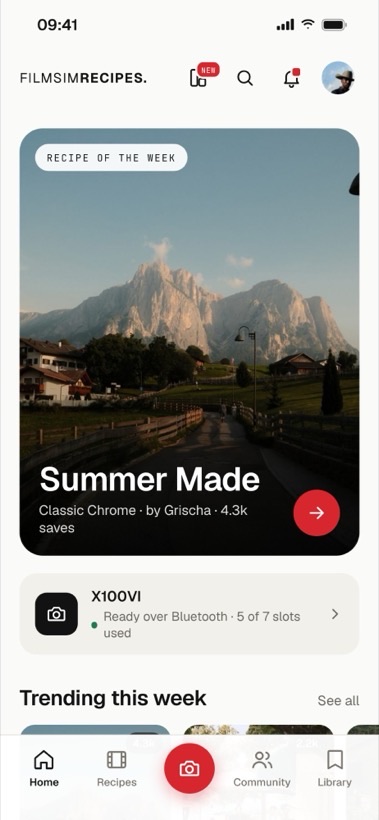
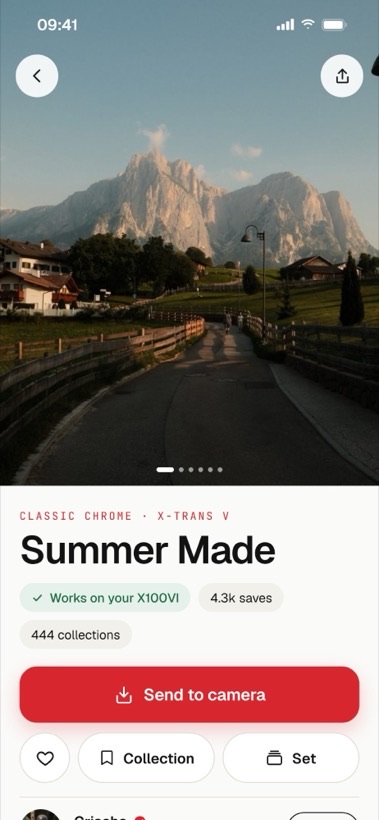
Three taps, then you shoot.
Find a look
Search 152 recipes by mood, film simulation or the exact camera in your bag. Save the ones worth keeping.
Connect your camera
Over Bluetooth on the X100VI, or a USB cable on any body. Filmsim finds your camera, reads the firmware and which custom slots are free.
Send it
Pick a slot, tap send. The recipe is written into C1 to C7 with the right name so you can find it on the dial.
More than a recipe library.
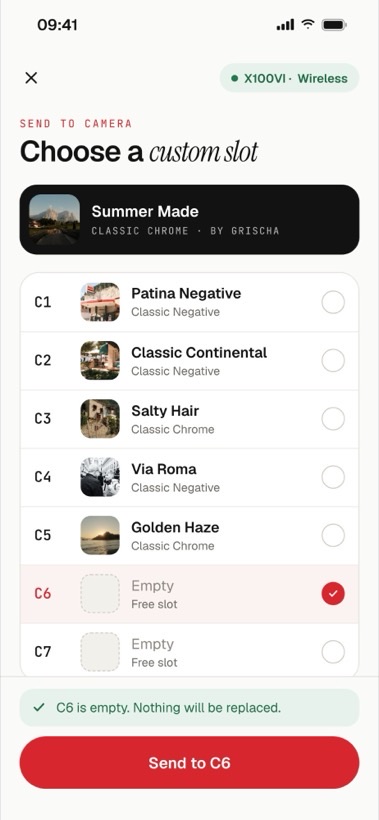
Send over Bluetooth, no cable.
On the X100VI, Filmsim finds your camera over Bluetooth and writes the recipe into the slot you pick, in a few seconds, from your seat. The cable still works for every other body.
Read the guide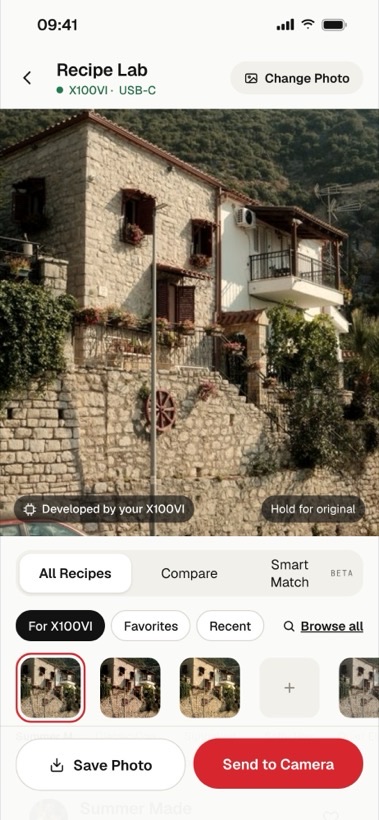
Try a recipe on your own photos.
Open your RAW shots and, with the camera on the cable, your Fujifilm develops each one with any recipe in seconds. Compare looks side by side, then send the winner to a slot.
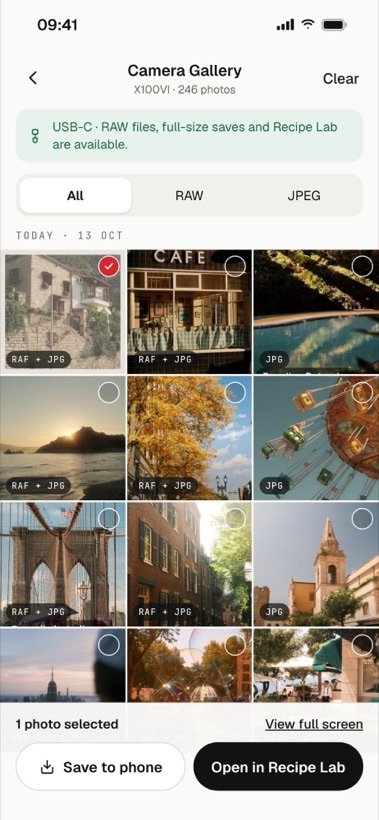
Your card, on your phone.
Browse everything on the camera over USB, filter RAW or JPEG, and save the shots you want with the RAW and JPEG kept together. Open any frame straight into Recipe Lab.
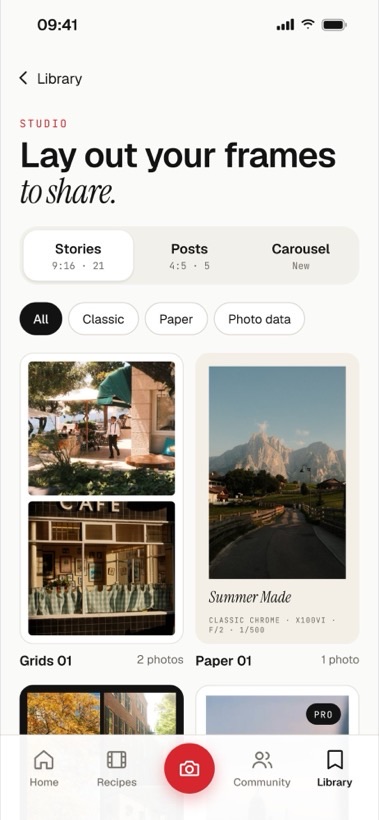
Lay out your frames to share.
Turn your photos into Stories, posts and carousels with clean, film-style layouts. Classic, paper and photo-data templates, with your recipe tagged right on the frame.
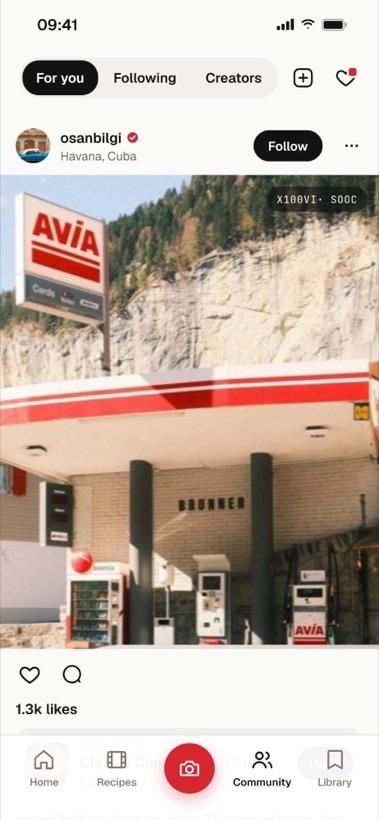
Real work, straight out of camera.
A feed of what people are shooting, with the recipe behind each frame and a tap to send it to your camera. Like, comment and follow the photographers you love.
Built for the way you actually shoot.
Send to camera
Write any recipe straight into a custom slot, C1 to C7, over Bluetooth or USB. Filmsim names it so you find it on the dial.
Collections
Group recipes by trip, by light, by client. A summer set for the coast, a cold set for winter mornings.
Sample frames
Every recipe ships with straight-out-of-camera photographs. You see the look before you commit a slot to it.
Best for your camera
Tell Filmsim what you shoot and the recipes that actually work on your sensor come first.
Build and submit
Start from a recipe you like, adjust it, keep it private, or submit it for review under your name with Pro.
Trending
See what the community is saving right now, ranked from real activity across the app.
Send to camera works on these bodies.
Older bodies still work. Filmsim shows the settings as a clean checklist you dial in yourself, in menu order, so nothing gets missed.
Free is genuinely free.
- The full free recipe library
- Save unlimited favourites
- Send to camera over USB
- 2 collections and 2 recipes of your own
- Every Pro recipe unlocked
- Unlimited collections and your own recipes
- Submit your own recipes for review
- 7-day free trial, cancel anytime
Questions, answered.
Does this change my RAW files?
No. A recipe is a set of in-camera JPEG settings. Your RAW files are untouched, so you can always fall back to them.
What if my camera is not on the list?
You can still use every recipe. Filmsim shows the settings in the same order as your camera menu, so dialling them in takes about thirty seconds.
Do I need an account?
Only to save recipes and sync across devices. Browsing works without one.
Can I submit my own recipes?
Yes, with Pro. Submit a recipe with straight-out-of-camera samples and it goes to review. If it is approved, it keeps your name and links back to your profile.
How does "Send to camera" connect?
Two ways. On the X100VI it works over Bluetooth, with no cable. On every other body it works over a USB cable, and on an iPhone with a Lightning port you need Apple's Lightning to USB Camera Adapter.
What is Recipe Lab?
A way to try recipes on your own RAW photos before you shoot. With the camera on a USB cable it develops each shot with any recipe in seconds, so you can compare looks and send the best one to a slot.